Last Tuesday, I watched a senior developer spend three hours untangling a merge conflict that shouldn't have existed. The culprit? A missing .gitignore entry and a Friday-evening force push. That scene, which plays out in offices worldwide—including the growing tech hubs in Ho Chi Minh City and Hanoi—is exactly why Git workflow matters more than most teams realize.
Here's the uncomfortable truth: 73% of developers have accidentally committed sensitive data (AWS keys, database passwords, API tokens) to version control. Once it's in the history, it's almost impossible to fully remove. Yet most teams still treat Git as little more than a backup system.
Beyond Push and Pull: The Real Problem
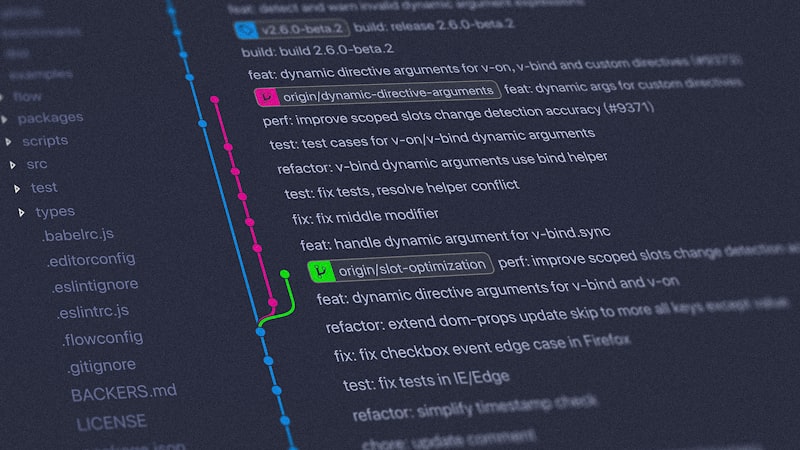
Git workflow isn't just about *how you use Git*—it's about creating a development culture where your codebase tells a story. When I review repositories, I can immediately tell the maturity of a team by looking at the commit history. Are commits logical and atomic, or are they emotional rants like "fix stuff" and "it works now"? Can you bisect through history and find *exactly* when a bug was introduced? Do you understand *why* a decision was made three months ago?
Most teams skip this entirely. They're chasing velocity, shipping features, and honestly, who can blame them in a startup environment? But when you have 15 developers across multiple time zones, and someone breaks production at 2 AM because they didn't know a particular service was in a frozen state—that's when you realize Git workflow isn't optional.
The Branching Strategy Nobody Talks About Honestly
Git Flow and GitHub Flow are the popular options, but here's what I've learned: the specific strategy matters less than consistency. What matters is:
1Your team actually follows it - This is the hard part. You can have perfect documentation, but if developers are cherry-picking commits and force-pushing because "it's faster," you're dead in the water.
Share this post
Related Posts
Need technology consulting?
The Idflow team is always ready to support your digital transformation journey.
1Feature branches live long enough to be useful, not so long they rot - The sweet spot seems to be 2-5 days. After that, integration pains compound exponentially. I've seen branches from developers in Vietnam that lived for three weeks because of timezone gaps and unclear code reviews. By the time they merged, half the conflicts were with infrastructure changes they didn't know about.
1You have a clear cut-off point - Tag your releases. Explicitly. Use semantic versioning (2.1.3, not "the Tuesday release"). Every single production deployment should be traceable to a specific commit. This isn't theoretical—when a client reports a bug in what they think is v2.1.0 but is actually v2.0.8, you need instant clarity.
The Commit Message Catastrophe
I can spot a junior-heavy team by reading their commit messages. "Update" and "Fix bug" are red flags. So is "lol finally works" (yes, I've seen this in Fortune 500 companies).
Here's why it matters: when you git log --oneline | head -20, can you understand what happened in the last two weeks? Can you quickly git blame a specific line and understand the context? Can a new team member understand decisions made in the codebase?
The best teams I've worked with use a simple format:
- First line: Short summary (50 chars max), imperative mood ("Fix race condition in auth" not "Fixed" or "Fixes")
- Blank line
- Body: Why the change was needed, not what changed (the diff shows that)
For example:
```
Implement exponential backoff for API retries
The naive retry logic was causing cascading failures during
traffic spikes. Exponential backoff with jitter reduces
thundering herd problems and gives dependent services time
to recover. Based on AWS Lambda best practices.
```
Compare that to "Update retry logic" and you see the difference. In six months, when someone questions why the backoff exists, they have answers.
Managing Secrets Like Your Career Depends On It
Because it does. I've worked with teams in Singapore and Vietnam that hardcoded database credentials, API keys, and OAuth secrets. The moment someone public-forked the repository (or it got leaked through a GitHub integration), everything was compromised.
Use .gitignore religiously. Use a secrets manager (HashiCorp Vault, AWS Secrets Manager, even git-crypt for sensitive repos). Never, ever commit a .env file with real values. The industry standard now is to commit a .env.example showing the structure.
One thing I rarely see discussed: audit your git history today. Use git log --all -S 'password=' to search for credentials accidentally committed. Use tools like truffleHog or git-secrets in your CI pipeline. Found something? Use git filter-branch or git filter-repo to remove it (and rotate that credential immediately).
The CI/CD Connection Nobody Makes
Your Git workflow isn't complete without automated checks. The moment you push a branch, your CI pipeline should:
- Run tests
- Check code style
- Scan for security vulnerabilities
- Build artifacts
If a developer can merge to main without these checks passing, your workflow has failed. Period. I've seen teams in Vietnam running manual testing before deploys because CI wasn't configured properly. That's 30-40 minutes of human time per deployment, multiplied by dozens of releases per week.
GitHub Actions, GitLab CI, CircleCI—the tool matters less than the discipline of treating failed checks as a blocker.
One More Thing: Documentation
Your .github/ directory (or equivalent) should have clear docs:
- CONTRIBUTING.md - How to set up locally, what the branching strategy is, how PRs work
- PULL_REQUEST_TEMPLATE.md - Prompts reviewers for what matters (screenshots for UI changes, performance impact for backend changes)
- CODEOWNERS - Who reviews what. Not the entire team reviewing everything; specific people for critical paths.
I've watched pull requests sit for a week because no one knew they were supposed to review them, or because every change required sign-off from someone on vacation.
Bringing It Home
A strong Git workflow isn't about perfection—it's about predictability. It's the difference between deploying with confidence and deploying with hope. It's the difference between onboarding someone in three days versus three weeks.
At Idflow Technology, we work with teams across Southeast Asia, and we've seen firsthand how source control practices directly impact product velocity. When companies shift from chaotic Git practices to structured workflows, their deployment frequency typically increases by 60-70%, and incident response time drops proportionally.
The tools will change. Git will probably outlast us both, but the principles—clear communication through commits, atomic changes, protected main branches, and automated verification—those are timeless.
Start today. Review your last ten commits. Do they tell a story? Fix one thing this week: either improve your commit messages, set up a branch protection rule, or audit your git history for secrets. Small steps compound into better code, fewer outages, and teams that actually enjoy working together.